 ContinuousWave
 Whaler
 Moderated Discussion Areas
ContinuousWave: Small Boat Electrical
HDS: Viewing Photo Images
Moderated Discussion Areas
ContinuousWave: Small Boat Electrical
HDS: Viewing Photo Images


search | FAQ |
profile | register | author help
|
|
ContinuousWave Whaler Moderated Discussion Areas
ContinuousWave: Small Boat Electrical
HDS: Viewing Photo Images
|
| Author | Topic: HDS: Viewing Photo Images |
| jimh |
 posted 12-22-2012 03:21 PM ET (US)
posted 12-22-2012 03:21 PM ET (US)  
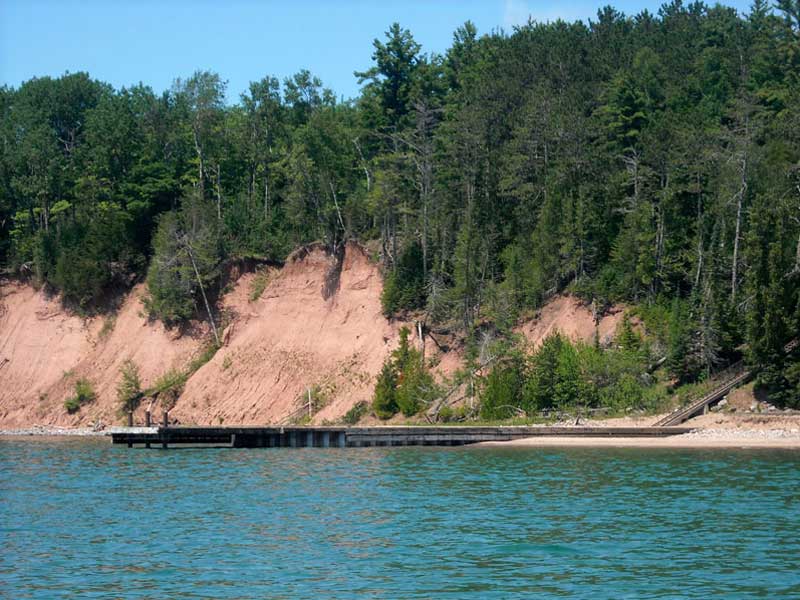
I have done a bit of experimenting with my HDS-8 to see if I could import JPEG images to the internal memory and then display the images on the screen of the HDS-8. I found the HDS could do this. I describe in a bit more detail. I found an image that I wanted to work with, in this case a shot of the dock at Michigan Island in the Apostle Island National Lakeshore, in Lake Superior. The image shows the dock from seaward. Because the native resolution of my HDS display, I re-sized the imaged to be 800 x 600 pixels (using PhotoShop). However, I found that this is not necessary. The display can work with smaller images and will fit the size to the display. I have not tested with larger images, as I don't think there is much value in storing the images at larger sizes if the display is limited to 800 x 600.
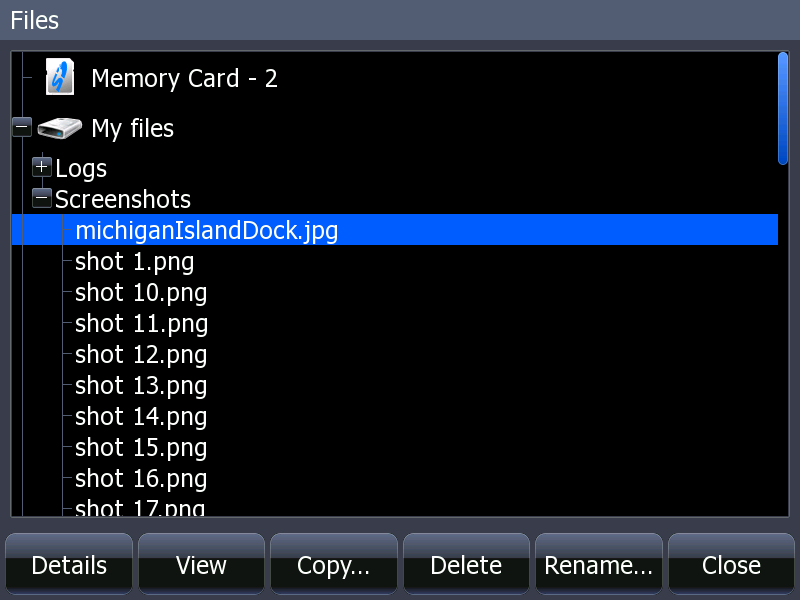
Next, I copied the image onto a Secure Data memory card that had been formatted to work with the HDS and was mounted on my computer. (I use a MacBook Pro laptop, by the way. The SD memory card was formatted for MS-DOS FAT 32.) I gave the file a name using the format name.jpg. In this case, I called the file michiganIslandDock.jpg Then I dismounted the SD memory card volume, and removed the card from the laptop. I moved the card over to the HDS, putting it in Memory Slot 1. Then I used the UTILITIES page and selected the FILES option. On the HDS file browser I navigated to MEMORY CARD-1 and found my file: michiganIslandDock.jpg Using the menu option VIEW, I was able to view the image. The next step was to use the COPY option to move the file to the HDS internal memory from the external memory card. I put the file in the MY FILES directory and in the SCREENSHOTS subdirectory, preserving the file name with the .jpg suffix. Then I double-checked that the file still could be opened and viewed; yes, it could.
Next I tried to find some way to create a link between the image and a waypoint. Alas, I could not find a method to accomplish this. About the best I could do was to make a waypoint, and then edit the waypoint to include in the field DESCRIPTION that a photo was available, and give the path to the file. This is a bit tedious, but it is the best way I could find to associate the waypoint and the photo image. I would be very interested to hear of other ideas for creating an association between the photo and the chart presentation so that perhaps one could open the photo image file from the information box about a waypoint. |
| jimh |
posted 12-22-2012 11:13 PM ET (US)
To permit the user to make hyperlinks from Waypoints to other resources available on the HDS might be a security risk. A user might enter a badly formed resource that could cause a program execution error (or crash). Introducing instability risks might be reason enough not to permit it to be done. |
| DVollrath |
posted 04-09-2013 02:05 PM ET (US)
The ability to store and view images will be very useful. I'd really like to save the dock layouts of the marinas I visit occasionally. I'll try this out on my HDS-7 this weekend. Thanks for the sleuthing. Dennis |
| |
Powered by: Ultimate Bulletin Board, Freeware Version 2000
Purchase our Licensed Version- which adds many more features!
© Infopop Corporation (formerly Madrona Park, Inc.), 1998 - 2000.